Content Flags
Overview
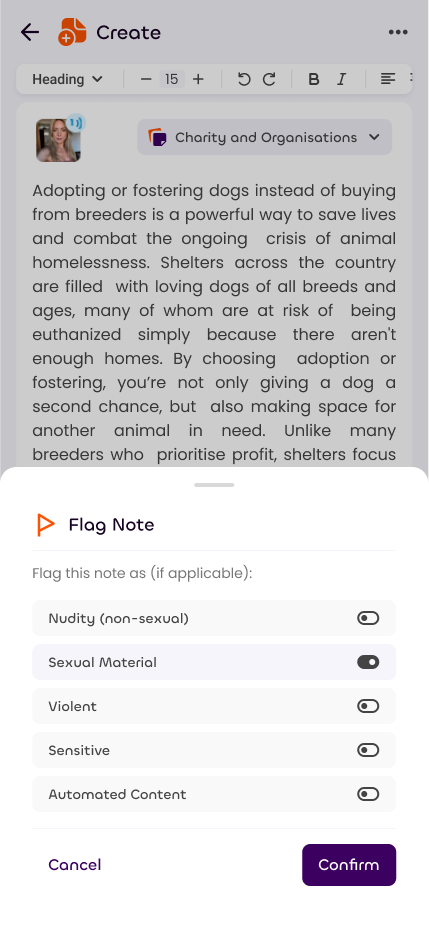
Content flags are similar to labels on other platforms, they let you add a warning over the content within.
This is essential to prevent people from seeing things that they don't want to and especially important when showing content to child users.
Sonata is committed to keeping inappropriate content away from those who don't want to see it, so self flagging your content is required when posting sensitive material.
Default Flags
To make self flagging easier, Sonata provides two levels of defaults: account level and channel level.
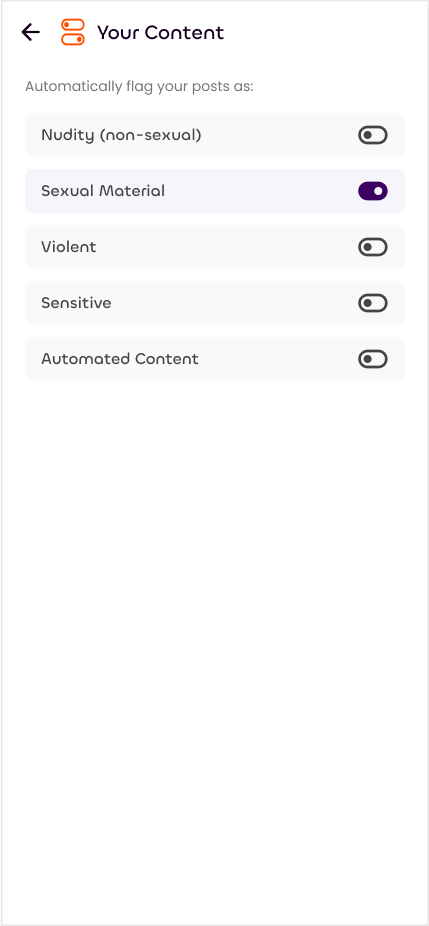
In Settings > Your Content, you can set default flags that will appear on all of your new notes. This won't affect existing notes.
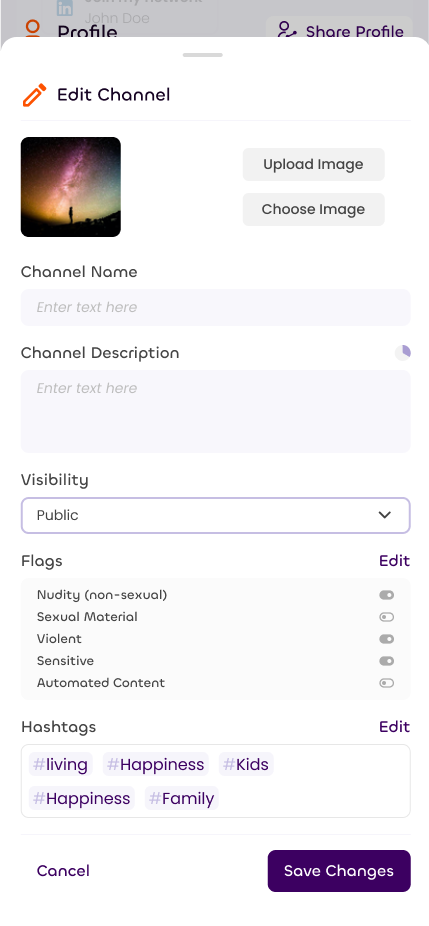
In Your Profile > Channels > Edit Channel, you can set default flags that will be enabled when switching to that channel when you create a note. There's a third option if you'd like to use the account default instead. These won't affect existing notes either, but they will affect the channel's visibility!
Your Filters
When viewing other's content, you can choose how you'd like it to appear.
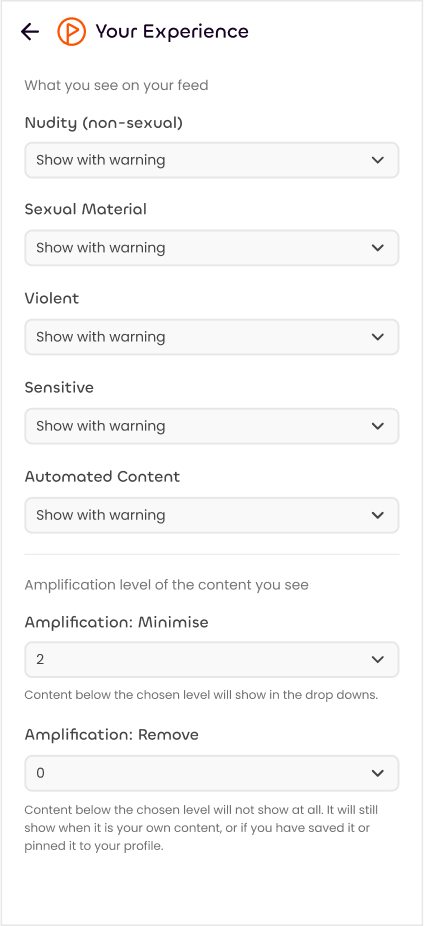
In Settings > Your Experience, for each flag type, you can choose from these options:
- Show: No filter
- Show with Warning: Load the content on the page, but display a warning
- Don't show: Do not load the content at all. In some cases we need to show that there is content there, but it will not be possible to view it.
Note: Users under the age of 18 will have some settings automatically applied and removed from view. These will appear when the user turns 18.
Note: Some countries will have certain settings automatically applied to logged out users. For example, due to the 2023 Online Safety Bill, visitors from the UK will have Sexual Content hidden when not logged in.